Council Solution
Audits & Assessments for Councils

Our Audit and Assessment solution has evolved over the past 15 years to become one of the most comprehensive and flexible systems available. Today, it supports virtually every type of audit our clients require – including Fire Risk Assessments, School Audits, School Self Audits, Corporate Audits.
Councils are continually required to reduce costs and at the same time enhance information volume and quality so that solid decisions can be made.
In response to past council workforce reductions, we implemented a collaborative approach where Head Teachers conduct their own audits, which are then verified by the streamlined council team, rather than undertaking the audit themselves. This efficient model has remained effective and continues to work well today.
Mobile App – Simplicity Meets Smart Functionality
Our mobile app is designed with ease of use at its core. Employees can start using it immediately — no training required.
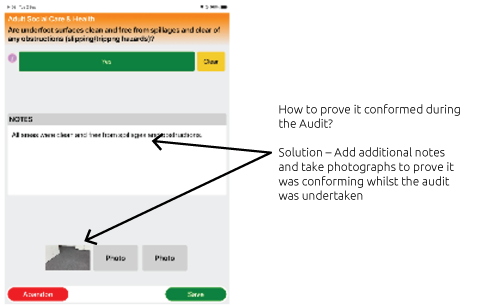
Proof of Conformity:
Add photos & Notes as proof that criteria conformed during the audit.
Accurate NON CONFORMANCE:
Add additional notes & photos to the action to enhance the details.
Enhanced Clarity:
Ability to mark up photos to clearly indicate the fault.
Visual clarity:
Attach marked-up photos to actions to highlight issues and locations clearly.
Web Portal – Total Oversight, Real-Time Insights
Take control with a powerful web portal that brings visibility, verification, and accountability to the forefront.
Vetted Audits:
Audits can be vetted and verified prior to being posted live.
Automatic Fault Emails:
Any non conformances found are automatically emailed to the responsible person, including chase escalation emails.
Dashboard Information:
Track every audit and its results with the Dynamic visual dashboard.
Positive Action Tracking:
Stay on top of actions using the action dashboard to manage effectively.
Location & Audit Selection – Streamlined and Smart
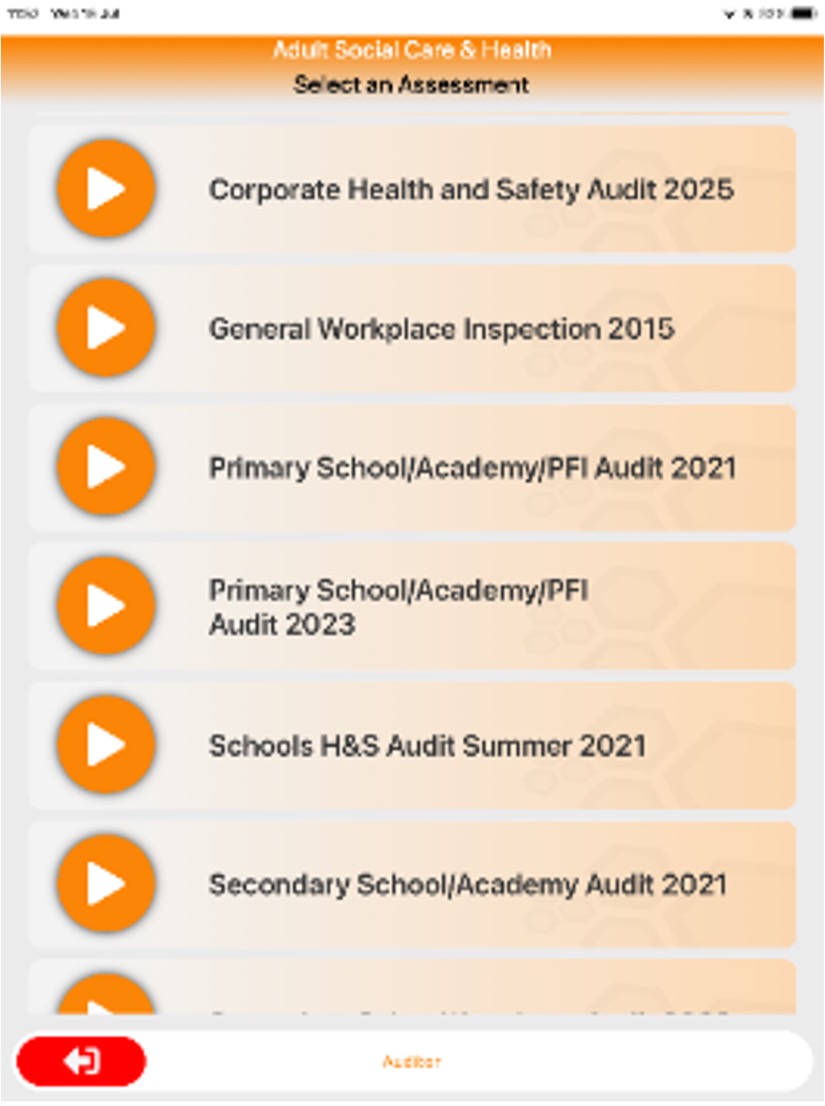
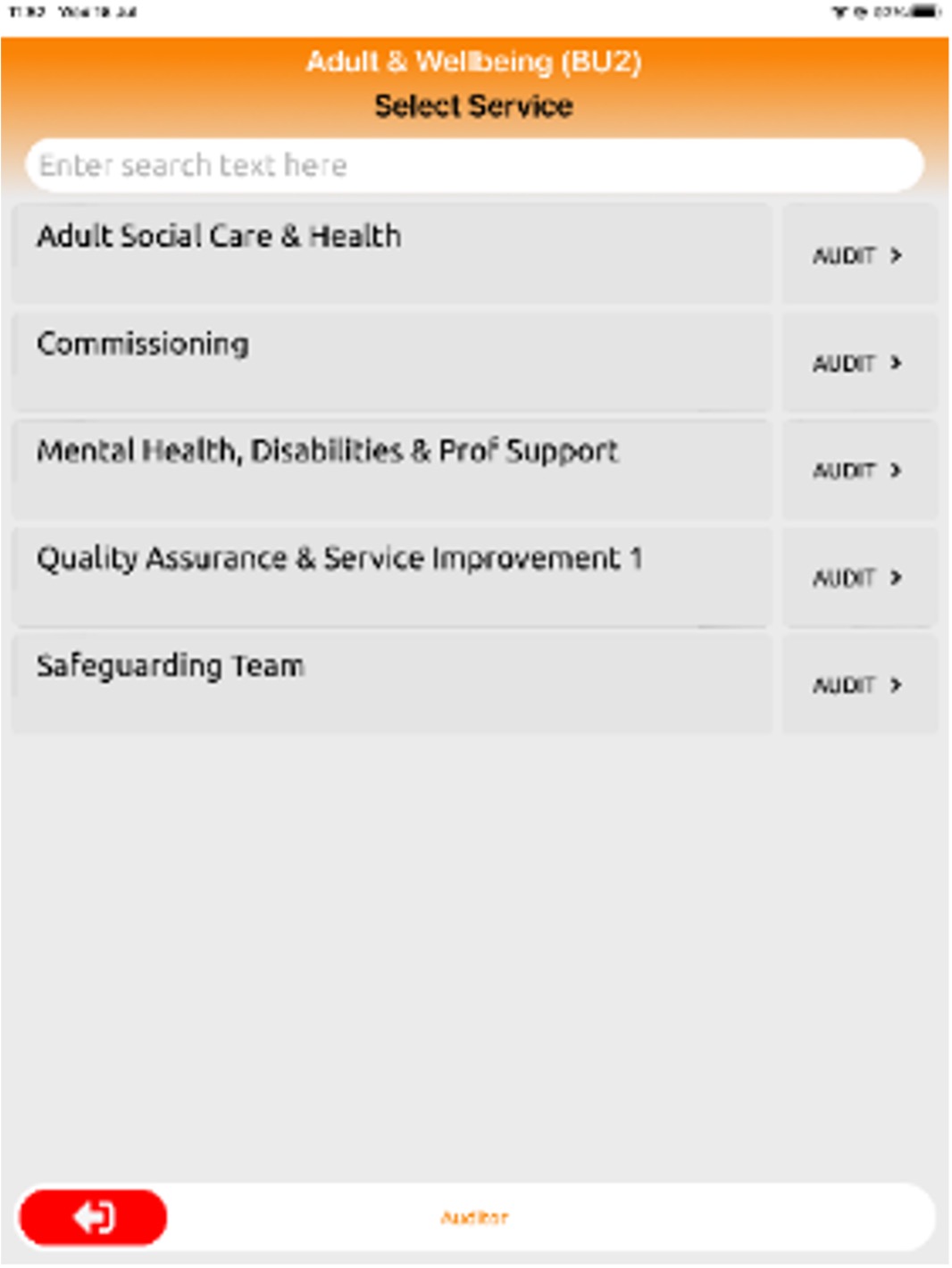
Auditing starts with just a few taps. The assessor simply selects the location from a predefined list within the app. Once a location is chosen, only the relevant audit types for that location are displayed, ensuring accuracy and efficiency.
Guided selection process to reduce errors and speed up setup
Displayed audit types are location-specific so users only see what applies.
Upon selecting an audit, the full set of assessment criteria is revealed.
Optional pre-audit questions can be configured to capture essential context, such as:
Number of employees on-site
Is it safe to perform the audit?
Other custom data points tailored to your needs
This intelligent setup ensures every audit is context-aware, streamlined, and fully tailored to your operational requirements.
Audit Questions – Clear, Responsive, and Efficient
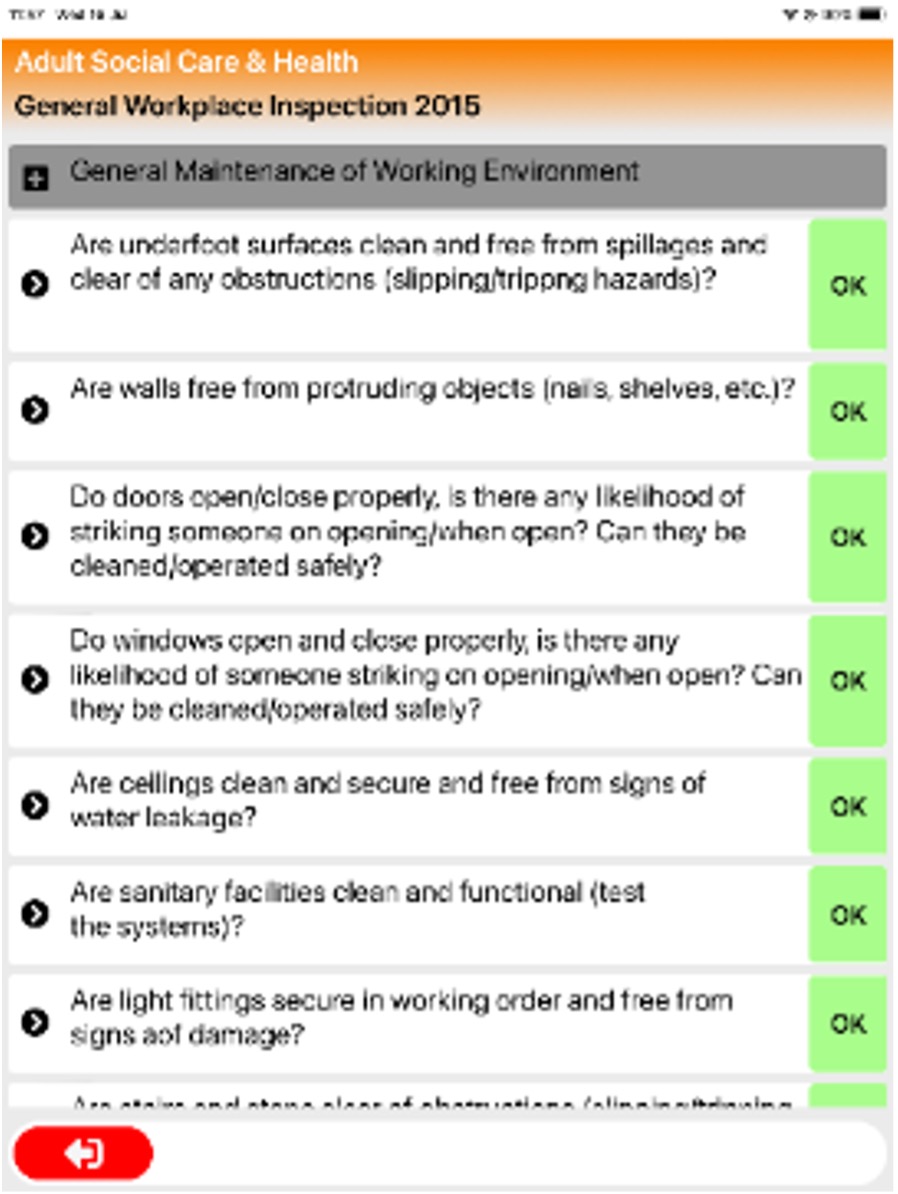
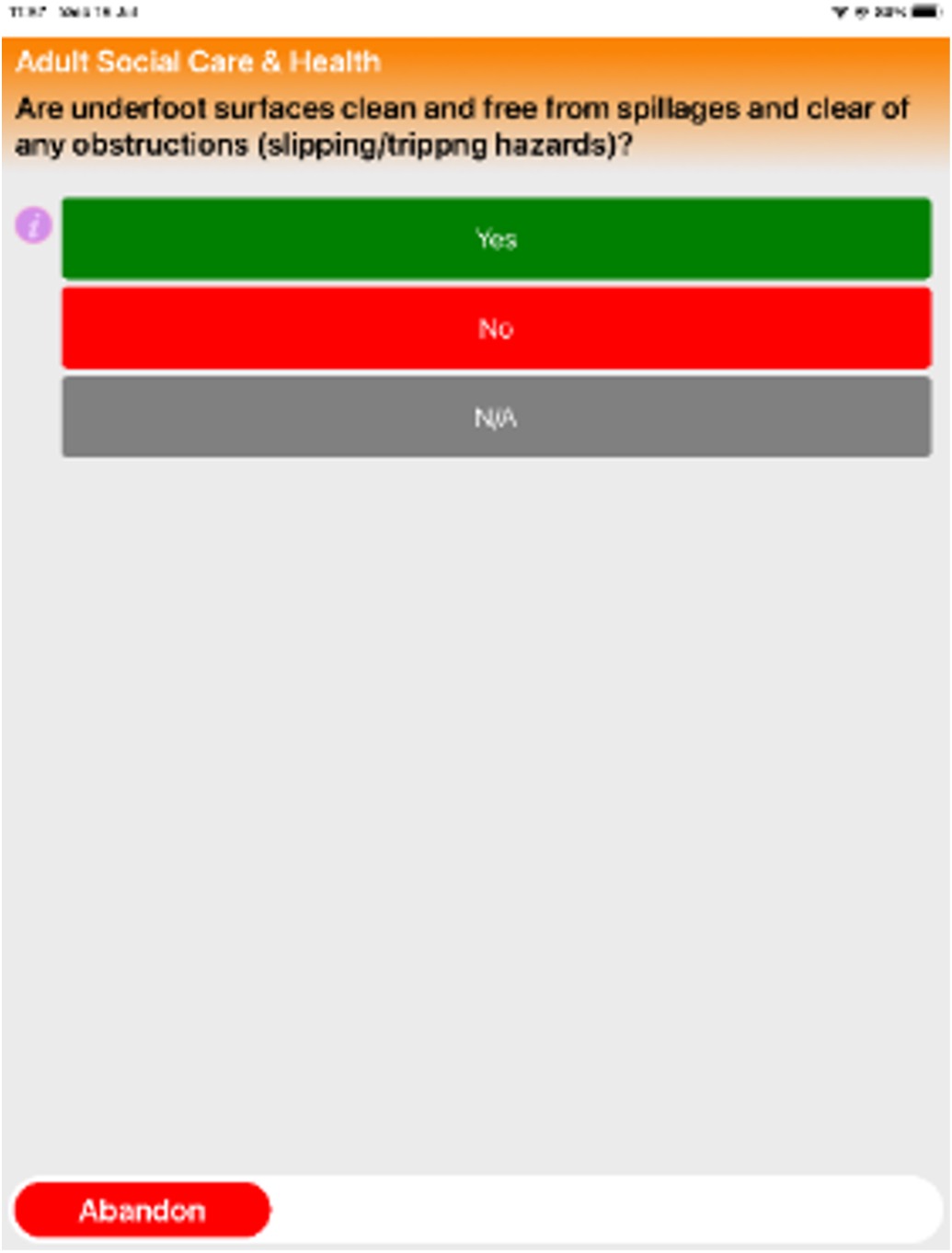
Audit sections are logically grouped for clarity. When a section is selected, the specific criteria to be assessed are instantly displayed, guiding the assessor step by step.
Color-coded progress tracking: Answered questions are highlighted in green, helping assessors clearly see what's been completed.
Instant feedback: If a criterion meets the required standards, selecting "OK" will automatically mark it as passed — reducing manual steps and streamlining the process.
Focused assessments: Only relevant questions appear within each section, eliminating clutter and improving accuracy.
This smart interface keeps audits organized, intuitive, and easy to complete — even in busy or complex environments.
If a criteria conforms
Capture Non Conformance Details
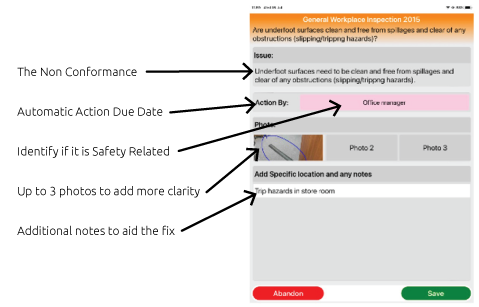
Action Information – Automated, Custom, and Accountable
When a criterion fails to meet the required standards, the system automatically displays a set of standard actions to be taken. These can be fully tailored to align with your organisation’s procedures and compliance requirements.
Configurable actions: Choose from preset or custom-defined actions that reflect your specific operational standards.
Flexible timescales: Apply standard response deadlines or select from a range of preset timelines based on severity or priority.
Accountability built in: Assign actions to predefined responsible individuals ensuring nothing slips through the cracks.
This structured and responsive approach ensures non-compliance is addressed consistently, with clear accountability and deadlines from the moment an issue is identified.
How do our Existing Council Clients Use

- Waste Compliance
- Corporate Building
- Radiation
- MASH
- Health & Safety
- Highways Working Monitoring
- Corporate Health & Safety Review
- Themed Monitoring Visit
- Construction Work Monitoring
- Repairs H&S
- Post Intrusive Gas Audit
- Work In Progress Gas
- FRA Housing Properties
- Caretaker Lodges
- Health, Safety & Environmental Monitoring
- FE Weekly Inspection
- Quarterly Meetings
- Service Check
- Kitchen Cleaning Spot Check
- School Catering
- Compliance
- Service Audit
- Care
- Science
- Children’s Care Establishment
- DT
- Art
- PE
- Library
- Primary School
- Monthly Site Inspection
- Schools H&S Inspection
- Corporate Team Audit
- Secondary Team Audit
Audits for everything
Action Management by
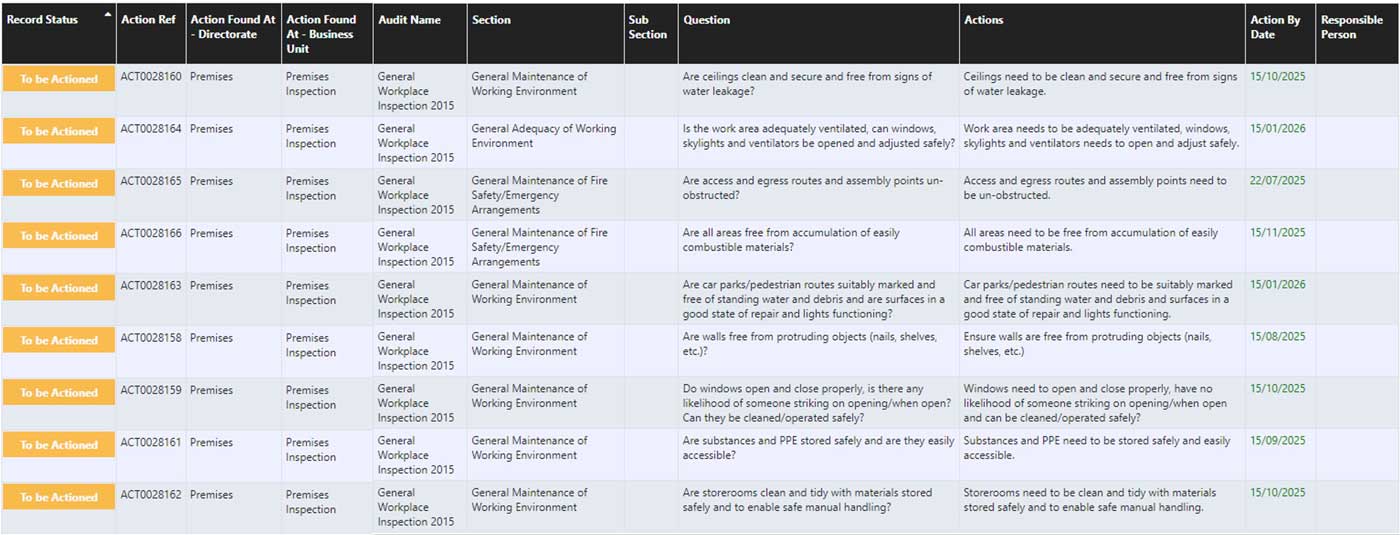
Action List
View actions in a customisable list format, with access restricted to authorised locations via password settings. Easily update or close actions by selecting and entering relevant information, these are then automatically moved from ‘open’ to ‘closed’.
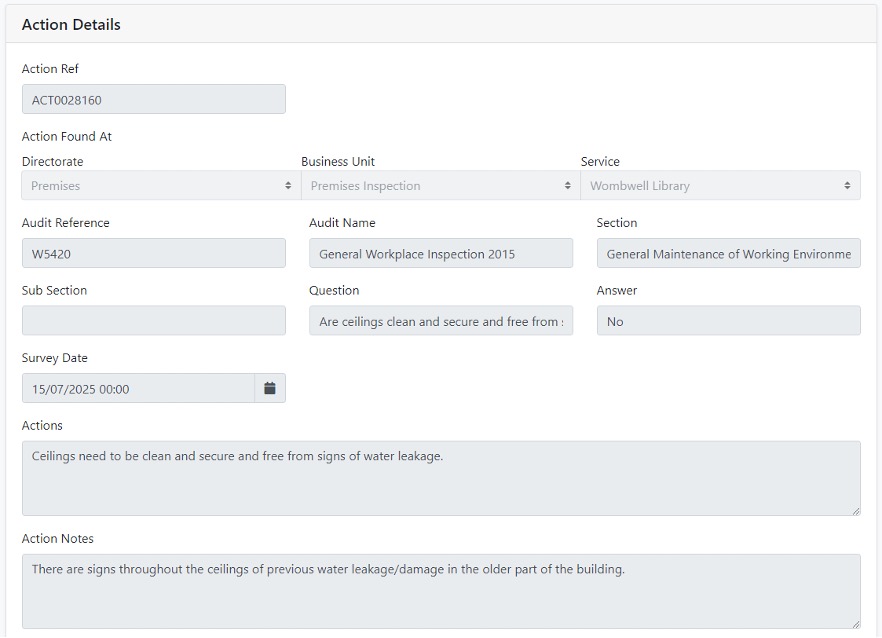
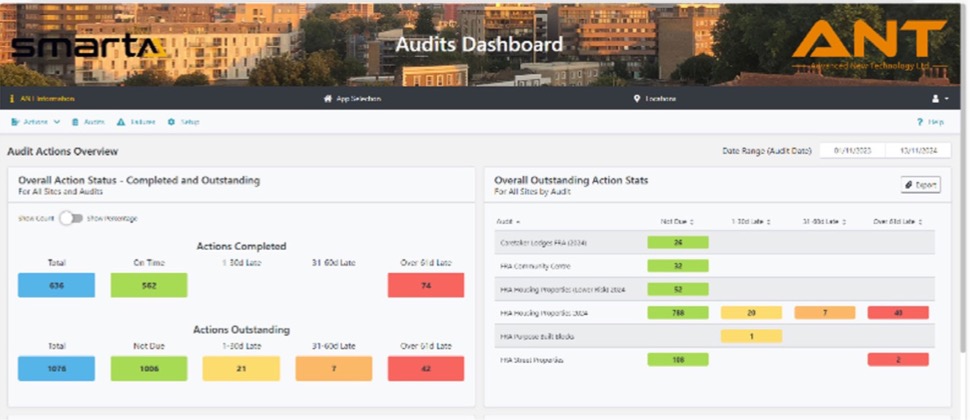
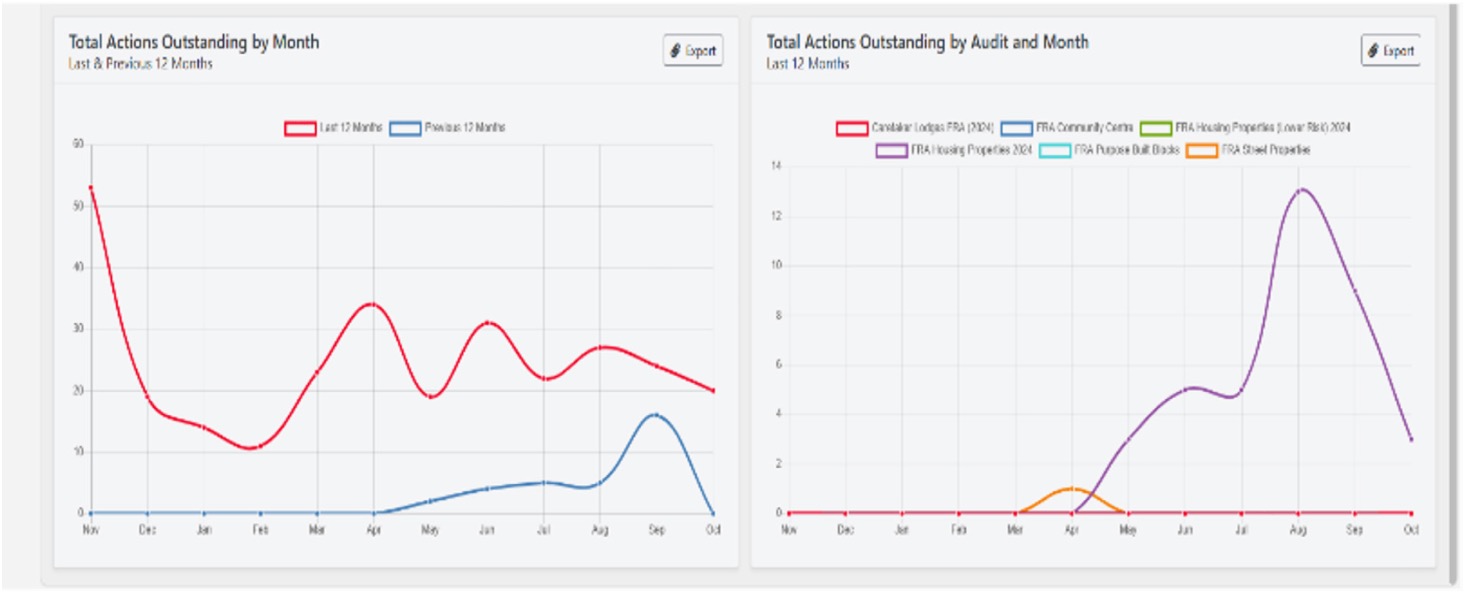
Visualise Audit Actions with Clarity
Audit actions are displayed in an intuitive and easy-to-understand format.
Interactive graphs provide clear comparisons of outstanding actions across current and previous years, as well as insights into actions linked to specific audits.
All information on the audit solution can also be exported where the client can produce their own charts/graphs.
Testimonial
We have been using Advanced New Technology’s software solution to support our auditing needs for some time.
Claire and her team at ANT are professional, customer focussed and very responsive to our needs.
The system is invaluable as it enables our schools and services to update and track actions arising out of audits which enables improved reporting and statutory compliance.
We look forward to continuing our partnership working.
Caron Owens
Head of Health and Safety, Buckinghamshire Council